# User groups (https://docs.serviata.ru/en/docs/settings/user-groups)
Naming a set of people once so you can assign work to the group instead of the person.
A **user group** is a named set of people — "Front Desk Team", "Housekeeping", "Night Shift" — that
you can point work at instead of naming individuals. The tab describes itself as "Manage groups of
users for assignment and access control."
Groups are worth the two minutes they take when the same handful of people keep coming up together.
Assign a task to "Housekeeping" and it stays correct after someone joins or leaves; assign it to
three names and you have to remember to fix it.
## Creating a group [#creating-a-group]
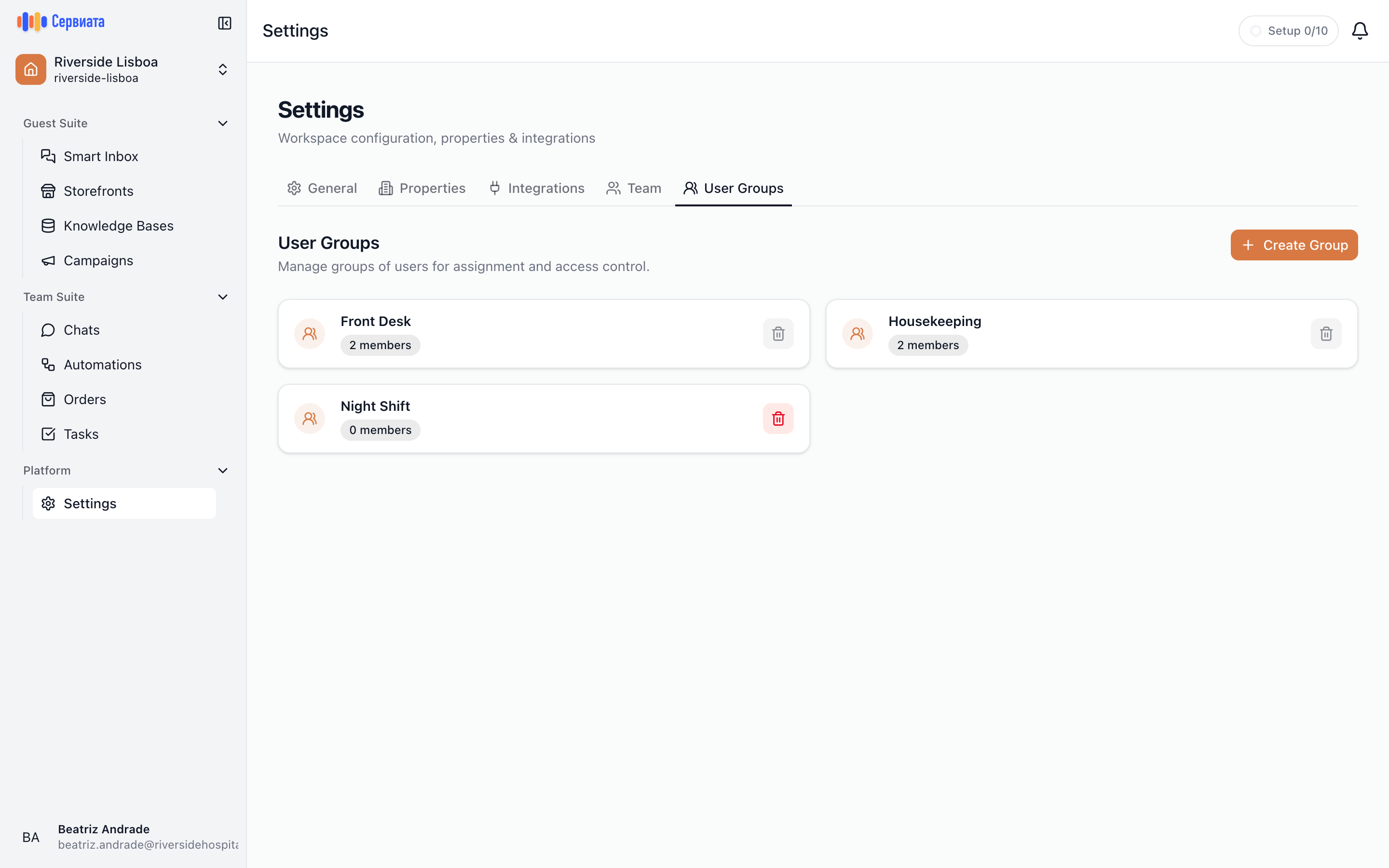
1. What groups are for, and Create Group
2. One card per group, with its member count and a delete button
The tab lists existing groups as cards, each showing its name, its member count and where the group
belongs — the name of a property, or **Whole workspace**.
**Create Group** opens "Create User Group", described as "Create a group to manage access and
assignments":
* **Group Name** — required, with "e.g. Front Desk Team" shown as a hint.
* **Scope** — where the group belongs: **Whole workspace**, or one property. A workspace with a
single property doesn't ask — the group belongs to that property.
* **Members** — pick the people to start with. You can leave this empty and add them afterwards. A
group that belongs to a property only offers the people who have access to that property; change
the scope after picking someone who doesn't, and they are taken off the list with a note saying
how many were removed.
**Create Group** saves it and confirms with "User group created".
A group's scope is fixed when you create it — it isn't editable afterwards. A group that belongs
to a property can only be assigned to work on that property; one for the whole workspace can be
assigned anywhere. Picked the wrong one and you'll have to delete the group and create it again,
so it's worth a second look before you press **Create Group**.
## Editing a group [#editing-a-group]
Click a group's card to open it. From there you can rename it under **Group Name**, and manage
**Current Members (*n*)**. **Scope** sits under the name — the property the group belongs to, or
**Whole workspace** — and is shown for reference only; it can't be edited.
* **Add Users** opens "Add Members" — "Select users to add to this group" — where you tick people
and press **Confirm**. For a group that belongs to a property, only the people with access to
that property are offered.
* The button on a member's row removes them from the group. It only removes them from the group;
their account and their permissions are untouched.
**Save Changes** commits both the name and the membership. **Back to User Groups** returns to the
list.
## Deleting a group [#deleting-a-group]
The delete button on a group's card asks "Are you sure you want to delete *name*? This action cannot
be undone."
A group with members in it cannot be deleted — the delete button explains why when you hover it:
"Remove all members before deleting". Open the group, remove everyone, then delete it.
## Groups are not permissions [#groups-are-not-permissions]
Adding someone to a group does not grant them anything. What a person may see and do is set entirely
by their [roles](https://docs.serviata.ru/en/docs/settings/roles/), on their own page on the [Team](https://docs.serviata.ru/en/docs/settings/team/) tab; a group is a label for
routing work, not a way to hand out access. Someone added to "Housekeeping" whose roles do not
include **Sees tasks** still cannot open the tasks assigned to it.
## Who can manage groups [#who-can-manage-groups]
Creating, editing and deleting a property's groups needs **Manages departments** in that property;
workspace-wide groups need **Manages workspace departments**, a workspace-role permission. The
workspace's owner and admins can do both. The tab itself opens for anyone with **Sees property
settings** as well, to look but not change. See [What's in Settings](https://docs.serviata.ru/en/docs/settings/) for the tabs.