What a storefront is
The public page guests order services from — where it lives, who it belongs to, and how it goes live.
A storefront is a page your guests open in a browser to order the things you sell — spa treatments, dinner reservations, airport transfers, excursions. You build it in Сервиата by adding cards to a page, and you hand out its link: printed in a room, in a QR code at reception, in a message you send during a stay. Nobody needs an account or an app to use it, and orders land back with your team the moment they're placed.
Everything about a storefront lives under Storefronts in the sidebar. Orders placed on it arrive in Orders — a separate module, which may need switching on before your team can read them.
One storefront, or several
A workspace can have as many storefronts as it needs, and each one is attached to something:
- A property — the storefront belongs to that hotel and shows its services.
- The whole workspace — one page for everything you operate, useful when guests aren't split by venue.
You choose this when you create it, and the list shows it as a badge: the property's name, or Workspace. This is not just a label — it decides who on your team can work on the storefront, and it carries over to every order placed on it, so a property's orders reach the people who work at that property.
Draft and published
Every storefront is one of two things, shown as a badge in the list and again in the editor:
- Draft — visible only to your team. Nobody can reach it from outside, whatever the link. This is what a new storefront starts as.
- Published — live at its public address.
You move between the two with a single button in the editor. Nothing is published by accident: a storefront you're still assembling stays a draft until you say otherwise, and taking one back down is one press away, with the effect described plainly before you confirm.
The list
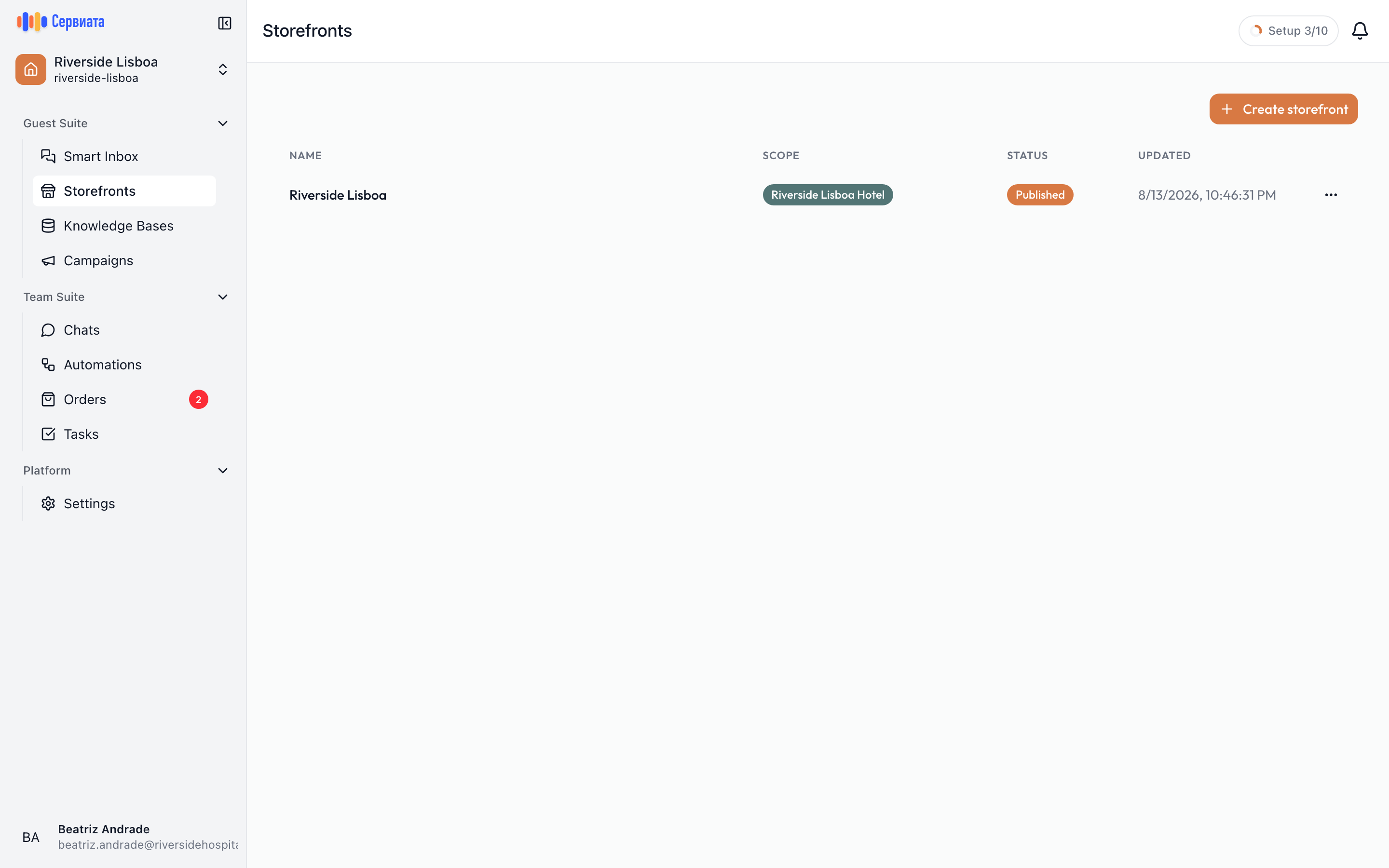
- 1
- 2
- Create storefront — the only way in before the first one exists
- One row per storefront: name, scope, status and when it last changed
Storefronts opens the list of everything the workspace has. Each row shows:
| Column | What it tells you |
|---|---|
| Name | The name you gave it — your team's name for it, not something guests read. |
| Scope | The property it belongs to, or Workspace. |
| Status | Published or Draft. |
| Updated | When it last changed. |
Clicking a row opens it for editing. The ⋯ button on the right offers the same Open editor, plus Delete — which asks to confirm and warns that the storefront and everything on it goes for good.
Who can work on storefronts
Storefronts appear for people whose roles include Sees the storefront; building and publishing needs Changes the storefront. Without the first, the section is not in the sidebar at all. Among the presets, Front desk sees; F&B and orders, Marketing and Hotel manager change.
Where the role applies decides what you can create:
- A property role lets you create and edit storefronts attached to that property.
- A workspace role is what lets you create the storefront that covers the whole workspace.
Someone who works at one hotel therefore sees and edits that hotel's storefronts, and nobody else's.
Where to go next
- Your first storefront — build and publish one, end to end, in about ten minutes.
- Services and sections — how the page is assembled, and everything a service card can say.
- When a service can be booked — opening hours, closed dates and notice periods.
- Settings and going live — the link, the images, publishing, and contact channels.
- What the guest sees — the same page from the other side, through to checkout.
- Orders — where the requests arrive and how they move along.