Chats
Your team's internal conversations on a phone — what a row tells you, how to find one, and how to start a new one.
Chats is where your team talks to each other — not to guests. Channels for a job or a property, direct messages for one person, all in one list with the most recent at the top.
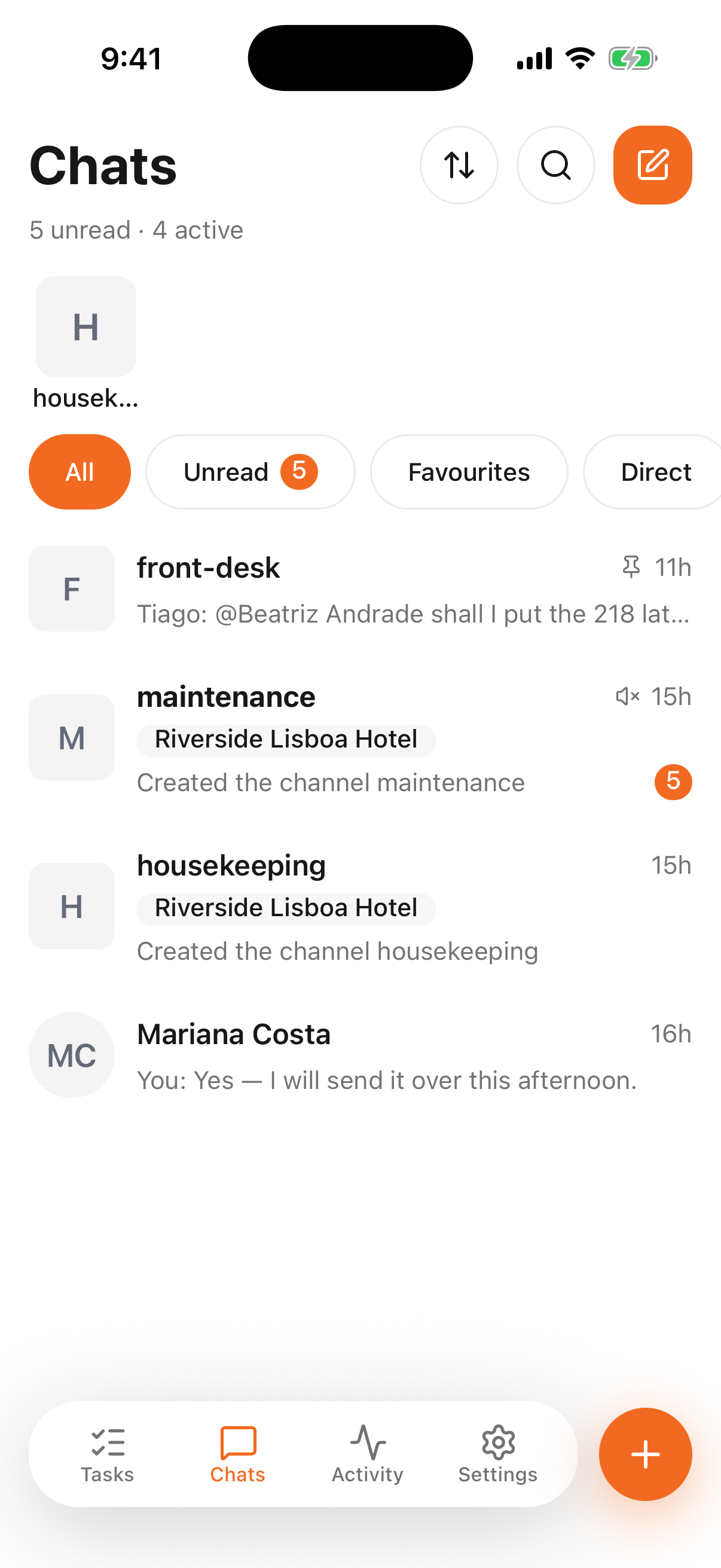
- 1
- 2
- How much is waiting, and the ways to narrow it down
- Conversations, most recent first
Reading a row
- The name — a channel's name, or the person's for a direct message.
- A property chip under the name, when the channel belongs to one property rather than the whole workspace.
- The last message, prefixed with who wrote it. Your own messages show as You:, so you can tell at a glance whether the ball is in your court.
- The time of that message — a clock today, a date after that.
- An orange badge with the number of messages you haven't read.
The line under the title — 10 unread · 4 active — is the same arithmetic for the whole list.
Finding a conversation
The chips narrow the list: Unread for what's waiting, Favourites for the ones you marked, Direct for one-to-one messages. The magnifying glass searches by name.
The two arrows re-order the list — by recent activity or by name.
Starting one
The pencil in the corner starts a new conversation; so does the round + on any screen. You can write to a person directly, or create a channel if your permissions allow it.
Channels belong to a property or to the whole workspace
A channel tied to a property is visible to the people who work there, and its name carries the property chip you see in the list. A workspace channel is for everyone. Pick deliberately: moving a conversation later means starting it again somewhere else.
Opening one is Messages on your phone; setting a channel up is Channels on your phone. What the conversations themselves can do — reactions, threads, pins, files, who can create a channel — is explained once in Chats and is the same on both.
This is not where guests are answered
Everything here is internal. Guest messages live in the Smart Inbox, which is a browser's job — writing "sorted, thanks" in a channel does not reply to anybody outside your team.