Messages on your phone
A conversation on a phone — writing, attaching, recording, and what a long press on a message offers.
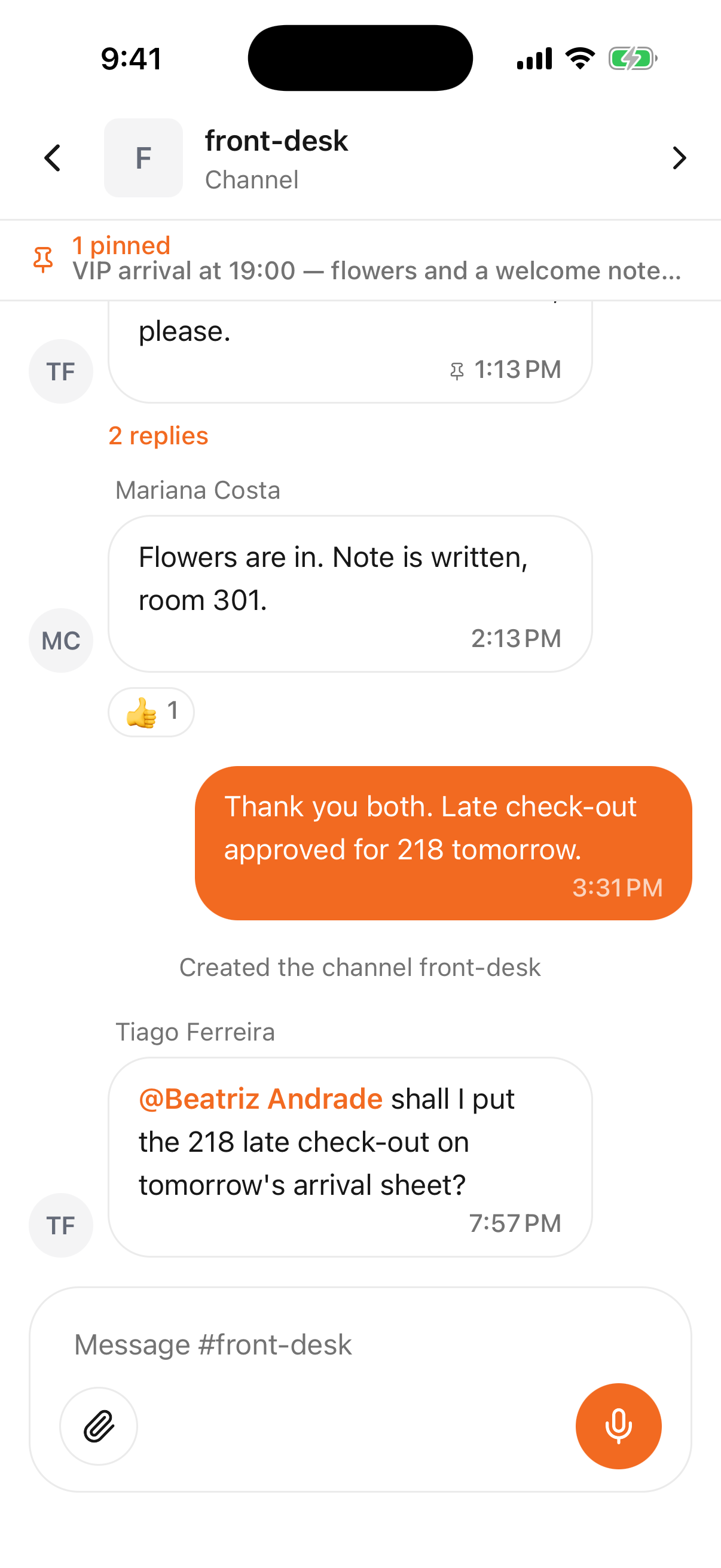
Open any conversation from the Chats list and this is what you get: the same messages your colleagues see in a browser, on a screen you can hold in one hand.
- 1
- 2
- 3
- Who you are talking to — tap it for the channel info
- The conversation, newest at the bottom
- Where you write, attach and record
Reading the screen
- Your own messages are on the right; everyone else's are on the left with their name above.
- A bar under the header shows the channel's pinned message. Tap it to jump to it.
- A mention of you is highlighted in the text.
- Reactions sit under the message they belong to; tap one to add yours.
- "2 replies" under a message means it has a thread — see below.
- Grey lines in the flow are the channel's own events: somebody joined, was added, or created it.
Writing
Tap the box and type. Two buttons sit beside it:
- The paperclip attaches photos and files from the phone.
- The microphone records a voice message — hold-to-talk work when typing isn't practical.
Typing @ and a few letters offers the people in this conversation and mentions the one you pick, which is what puts your message in front of them rather than in the pile.
What a long press offers
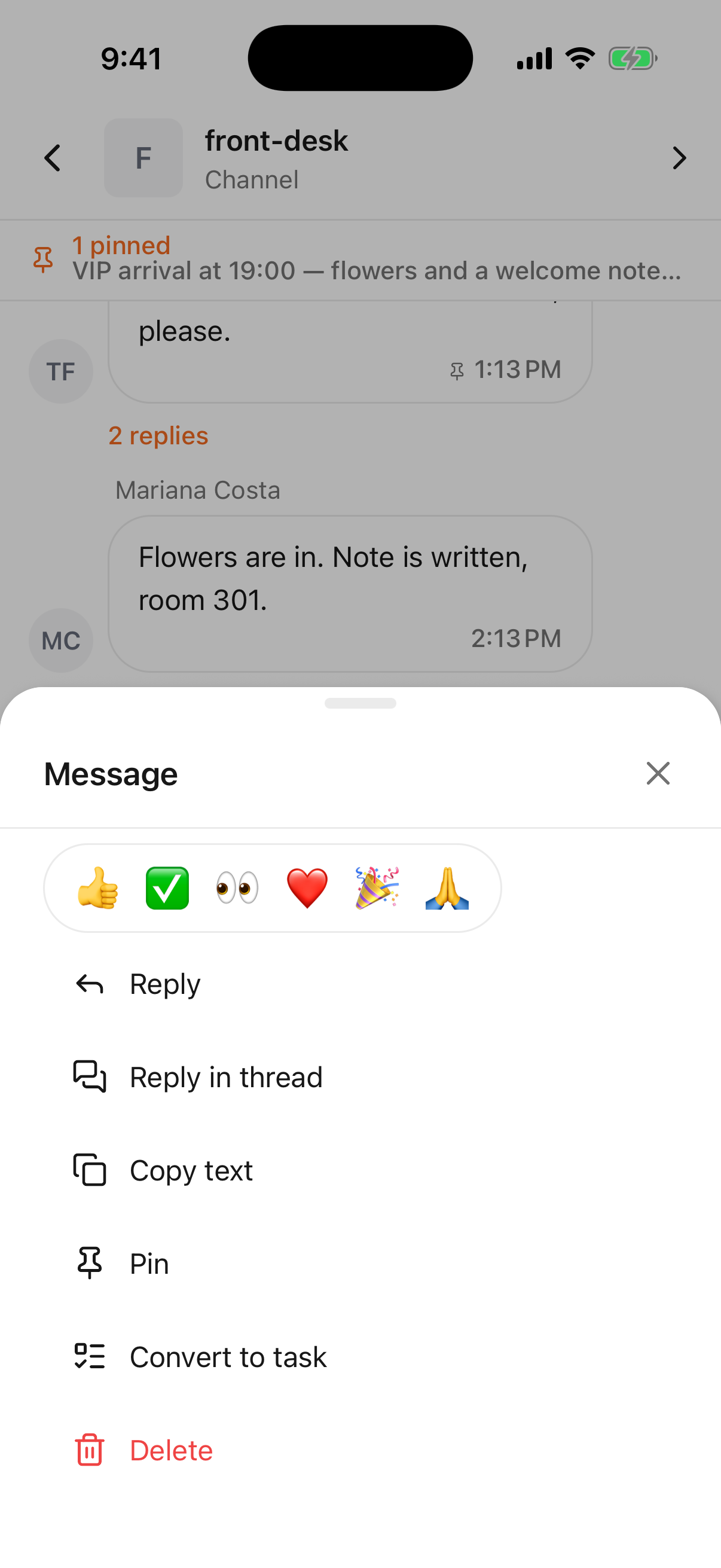
Press and hold any message:
- 1
- Everything you can do to one message
| The row of emoji | React without writing anything. |
| Reply | Quote it in your own message. |
| Reply in thread | Open a thread on it, so the answers don't scroll the channel. |
| Copy text | Puts the text on the phone's clipboard. |
| Pin / Unpin | Pins it to the top of the channel for everyone. |
| Convert to task | Opens the new-task form with the message already in it. |
| Edit | Your own message, within an hour of sending it. |
| Delete | Your own message; admins can delete anybody's. |
The rules behind these — who may delete what, how long editing stays open, how many pins a channel holds — are the same on both screens and are written out once in Messages.
Threads
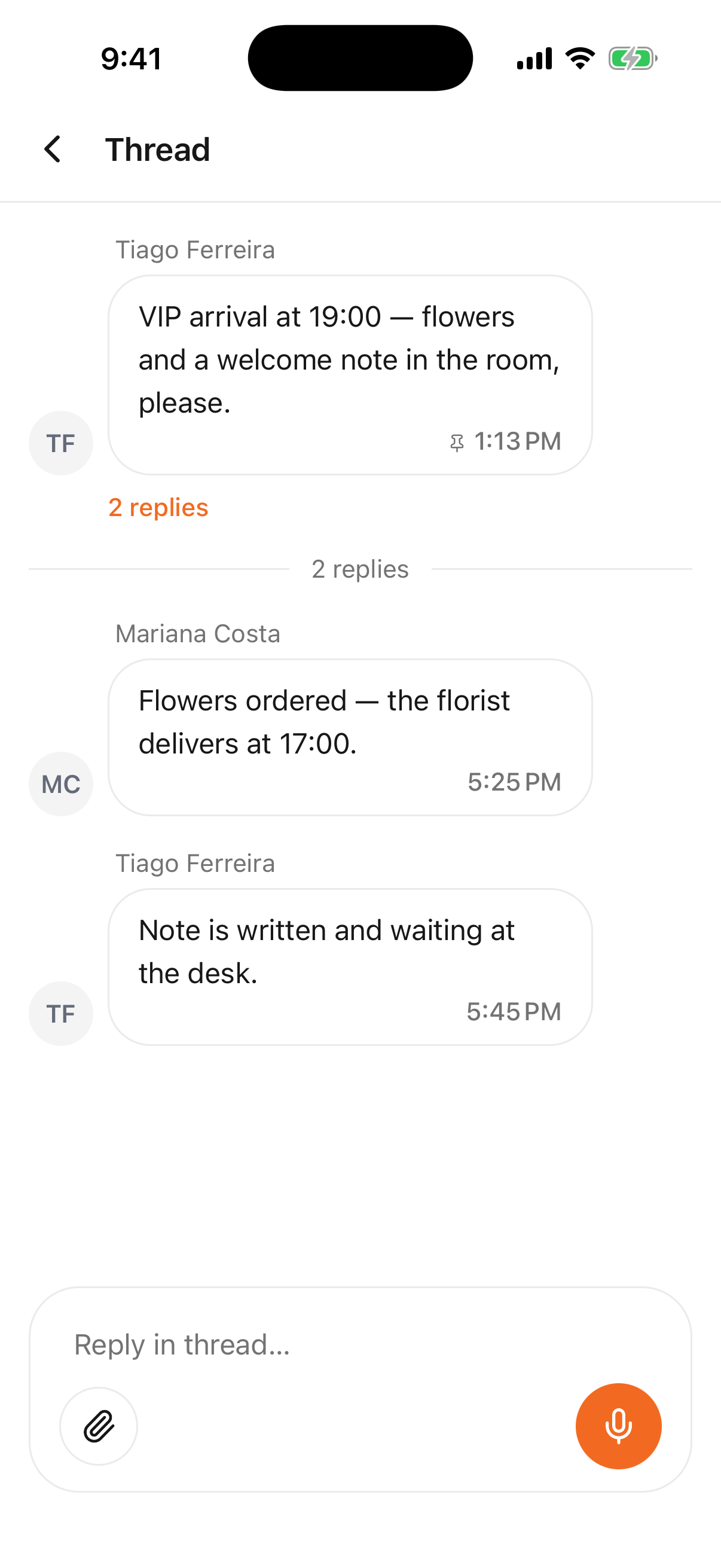
Tapping replies opens the thread: the original message at the top, the answers under it, and a box for one more.
- 1
- The message that started it, with its replies
A reply here notifies the person who started the thread and nobody else, which is exactly why a long answer belongs in one — the rest of the shift keeps reading the channel undisturbed.
What isn't here
The phone is for the conversation, not for administering it. Creating channels and everything in their settings is a page of its own; guest messages are the Smart Inbox and stay in a browser.